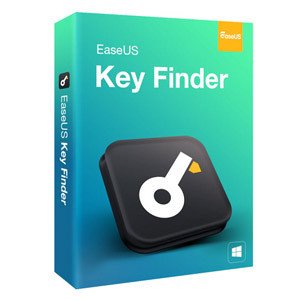
EaseUS Key Finder is a Windows utility designed to scan your system and recover lost product keys for software like Windows, Microsoft Office, Adobe, and over 1,000 other programs. It also retrieves saved Wi-Fi passwords and browser login credentials. Built for home users and IT professionals alike, it fills a very specific but genuinely frustrating gap — that moment when you need to reinstall something and have no idea where the license key went. This review covers features, pricing, real user feedback, how it compares to alternatives, and whether it’s worth the cost.
EaseUS Key Finder Review — The Short Version
For readers who want the bottom line up front.
Quick Verdict Summary:
- Best for: Windows users preparing for a system reinstall, PC migration, or recovery from a crashed drive
- Pricing: $19.95/month · $29.95/year · $49.95 lifetime
- Standout feature: Ability to scan dead or unbootable drives for product keys
- Biggest limitation: No free tier with full functionality; free trial shows keys but locks export and backup behind a paywall
- Overall rating: 4.4 / 5
Who This Review Is For
If you’ve ever stared at a Windows reinstall screen with no idea where your product key is — this review is for you. It’s also for IT admins who manage a handful of machines and want a clean way to document licenses before hardware changes. If you’re evaluating whether EaseUS Key Finder is a better fit than the free tools already available, you’ll get a clear answer here.
What Is EaseUS Key Finder?
Check EaseUS Key Finder’s Current Pricing
EaseUS is a Chengdu-based software company with over 19 years in the market and, according to their site, more than 530 million customers. They’re best known for data recovery and backup tools, and Key Finder sits within their utilities lineup as a focused, single-purpose product. It doesn’t try to be an all-in-one system optimizer — it does one thing and does it well.
The product targets a real problem. When you reinstall Windows after a drive failure, or migrate to a new PC, you need activation keys for every piece of software you own. They’re scattered across old emails, faded stickers on laptop lids, and documentation you definitely didn’t keep. Key Finder scans the Windows registry and system files to surface all of that information in one place.
What Makes EaseUS Key Finder Different
Three things stand out. First, the dead-disk recovery feature: if your drive won’t boot, you can connect it to a working machine and EaseUS Key Finder will scan it directly — extracting keys from a system that can no longer run. That’s not something every tool in this category offers.
Second, the scope goes beyond just Windows and Office. The tool covers 1,000+ applications, including Adobe software, SQL Server, and a long list of third-party programs. Third, it packages key recovery alongside password retrieval for Wi-Fi networks and saved browser logins, making it genuinely useful as a pre-migration checklist tool rather than just a one-task fix.
What Does EaseUS Key Finder Offer?
EaseUS Key Finder is a single product with one purchase path and three billing options: monthly, annual, or lifetime. There’s no separate “Pro” or “Business” edition — all features are included regardless of which plan you choose. A free download is available that lets you scan and view results before committing.
Standout Features Worth Knowing
- Windows and Server Product Key Recovery — Supports Windows 7 through 11, plus Windows Server editions. Whether you need to transfer a license or just verify you have it on record, the key is displayed immediately after a scan.
- Dead OS / Unbootable Disk Scanning — Connect a crashed or unbootable drive to a working PC and run Key Finder against it. This is the feature that matters most when things have already gone wrong — not when you’re being careful.
- 1,000+ Software Serials — Office suites, Adobe applications, SQL Server, and a broad list of third-party software. The coverage isn’t perfect (more on that in the complaints section), but it handles the applications most people actually care about.
- Wi-Fi Password Recovery and Browser Credentials — Surfaces saved passwords from Chrome, Edge, Firefox, and IE, along with wireless network keys. Useful when setting up a new device on the same network or migrating accounts.
- Export to TXT or PDF — A simple but practical touch. You can back up everything to a document you store somewhere safe — no need to screenshot or copy individual keys by hand.
How EaseUS Key Finder Works
Check EaseUS Key Finder’s Current Pricing
Getting started is about as simple as it gets. Download the installer from the official site, run it, and the application opens to a clean category-based interface. Left-panel tabs cover Windows keys, Office/Adobe serials, browser credentials, and Wi-Fi passwords. Click a category, hit Scan, and the results appear within seconds. From there, you can copy individual keys or export everything to a file.
For dead-disk recovery, the process adds one step: connect the external drive before launching the software, then select it as the scan target instead of your current system. The software handles the rest.
How Long It Takes
The initial scan typically completes in under a minute for a standard system. The dead-disk scan can take slightly longer depending on drive size, but it’s not a process that requires leaving a machine running overnight. Results are immediate and clearly labeled.
Who Is EaseUS Key Finder Best For?
Ideal Users
The clearest use case is someone preparing for a system change — a new PC purchase, a drive upgrade, or a reinstall after a crash. Running Key Finder before anything changes is a reasonable 10-minute habit that can save hours of frustration later.
IT administrators who manage multiple Windows devices will also find it useful as a lightweight documentation tool. Running a scan across machines before rolling out hardware changes keeps license records organized without requiring a full asset management system.
Home users who have been running the same Windows install for years and have no idea what keys are on their machine — and want to find out before something breaks — are exactly who this product was built for.
Who Might Want to Look Elsewhere
If all you need is your Windows product key and nothing else, the free NirSoft ProduKey or a quick PowerShell command will give you exactly that at no cost. Paying for Key Finder to solve a one-time problem doesn’t make much sense in that scenario.
Mac users are out entirely — the software is Windows-only, and there’s no macOS version.
Anyone hoping to use Key Finder as a broad password manager will be disappointed. It surfaces credentials already saved in your browser, but it’s not a replacement for dedicated password management software.
Why Choose EaseUS Key Finder?
Key Advantages Over Competitors
The dead-disk scanning capability is the most meaningful differentiator. Free tools like NirSoft ProduKey and Magical Jelly Bean Keyfinder work only on live, bootable systems. If you’re already in crisis mode because a drive won’t boot, those tools are useless — EaseUS Key Finder is not.
The breadth of supported software is also a genuine advantage. Free alternatives tend to focus narrowly on Windows and Office. Key Finder’s 1,000+ program coverage handles Adobe, SQL Server, and a long tail of applications that matter in professional environments.
The export-to-PDF feature sounds minor but is practically useful. Having a single document with all your licenses, stored somewhere outside the machine, is exactly the kind of thing people wish they had done after a system failure.
What Makes It Worth Considering
For someone who regularly sets up or migrates Windows systems — whether for a family or in a small business context — the lifetime license at $49.95 is priced reasonably against the time it saves. That’s roughly the cost of one hour of professional IT support, and it handles a task that would otherwise require manual registry digging or vendor calls.
If the pricing works for your situation and the feature set covers what you need, there’s not much left to weigh — the main variable is whether you’re comfortable committing without a traditional free trial that includes export functionality.
[See What EaseUS Key Finder Offers Today]
My Experience Using EaseUS Key Finder
What I Liked
The speed is the first thing you notice. Scan results appear almost immediately — there’s no progress bar that moves slowly for three minutes while you wonder if something is wrong. The categorized interface also makes it easy to find what you’re actually looking for rather than scrolling through a single flat list of 80 entries.
The export function is more useful than it sounds. Being able to save a clean PDF of all your keys and passwords — one you can store in a cloud folder or email to yourself — is the kind of thing you’d do once and then be glad you have the next time something breaks.
What Could Be Better
The free version shows you your scan results but withholds the ability to copy or export them without purchasing. That feels slightly deceptive — you can see your keys on screen but can’t actually use them until you pay. A more straightforward trial experience would be cleaner.
Some niche or older software applications aren’t in the database. Key Finder works best with mainstream software, and if your workflow includes legacy tools or less common applications, there’s a reasonable chance some keys won’t surface.
Real Customer Reviews
What Customers Are Saying
Across verified reviews, the pattern is consistent: users are satisfied with the core functionality and find the software easy to use. The speed of the scan gets mentioned frequently, along with the clean interface. Based on current user feedback, the experience of getting results quickly and without confusion is the most commonly praised aspect.
The recurring complaint — and it comes up enough to be worth flagging — is that the free version feels more limited than expected. Users who download it anticipating a full-featured trial often discover the export restriction only after they’ve run the scan and seen their results.
Overall Customer Sentiment
EaseUS as a company holds a strong overall reputation on Trustpilot, with tens of thousands of reviews trending positive across their product line. Customer support is mentioned often as a strength — response times are fast, and issues tend to get resolved without extended back-and-forth.
What People Are Saying in Online Communities
In tech communities, the conversation around EaseUS Key Finder tends to split predictably. Users who needed to recover a key from a crashed drive are often enthusiastic — it solved a specific, urgent problem. Those evaluating it against free alternatives tend to ask whether the added software coverage and dead-disk scanning justify the price over tools like ProduKey or PowerShell. The answer usually depends on how often someone actually needs it and whether they’re in a professional or home context.
Website and User Experience
Website Layout and Navigation
Check EaseUS Key Finder’s Current Pricing
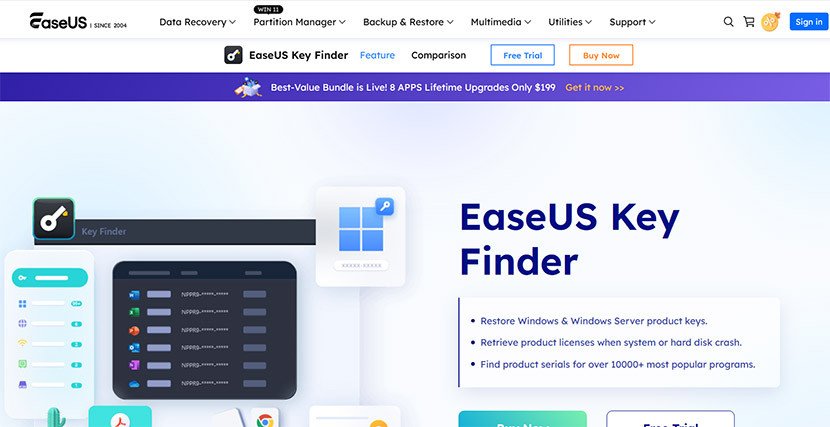
The EaseUS website is cleanly organized, with product categories clearly laid out. Finding the Key Finder product page is straightforward, and pricing information is displayed upfront — no hunting through menus to find what things cost.
Sign-Up or Ordering Process
Purchase is handled through a standard checkout flow. Payment goes through a secure third-party processor, and confirmation arrives quickly after purchase. License key delivery is automated.
Customer Support
EaseUS offers 24/7 technical support, accessible via live chat on the website and email. Based on recent user feedback, response times are quick and issues are generally resolved in the same session. The refund policy is a 30-day money-back guarantee, with the caveat that refunds are typically not issued if the software has already successfully performed its intended task — which is worth knowing before purchasing.
Common Complaints About EaseUS Key Finder
Most Frequent Issues
The free version is more limited than it appears. You can scan and see results, but exporting or copying keys requires a paid license. For users who downloaded the software expecting to grab a key quickly, this creates friction.
Not all software is covered. The 1,000+ program claim is accurate for mainstream applications, but niche, legacy, or less common software may not appear in the scan results. If your environment includes specialized tools, it’s worth testing with the free version first.
Windows-only. There’s no Mac support. If you run a mixed environment, you’ll need a separate solution for anything outside Windows.
Are These Dealbreakers?
For most users, no. The free version limitation is frustrating but solvable — the lifetime license is a one-time cost. The software coverage gap matters mainly in professional environments with specialized tools. The Windows-only restriction is the one situation where Key Finder genuinely isn’t the right fit.
EaseUS Key Finder Pricing — What You Actually Pay
| Plan | Price | What’s Included | Best For |
| Monthly | $19.95/month | Full feature access, 1 PC | One-time urgent use |
| Yearly | $29.95/year | Full feature access, 1 PC | Occasional use over time |
| Lifetime | $49.95 one-time | Full feature access, lifetime upgrades | Regular users, IT pros |
Pricing Overview
Three tiers, clearly priced. The monthly option is the most expensive per year of use by a wide margin — at $19.95 per month, you’d pay nearly $240 annually for something you could own outright for $49.95. It exists for people who need the software immediately for a single situation and don’t want a recurring commitment, but the math only works if you cancel quickly.
The annual plan sits awkwardly in the middle. For anyone who might use this tool more than once, the lifetime option at $49.95 is the clear value choice.
Is the Pricing Fair?
For a specialized utility, the pricing is competitive. NirSoft ProduKey is free, but it lacks the dead-disk scanning and software breadth. Abelssoft MyKeyFinder is comparable in price. Against those benchmarks, $49.95 as a lifetime cost is reasonable — especially if dead-disk recovery is something you might actually need.
[Check EaseUS Key Finder’s Current Pricing]
How EaseUS Key Finder Compares to Other Options
If you’re weighing EaseUS Key Finder against other tools, you’ve already decided this category of software solves a real problem. The remaining question is which specific tool fits your situation. Here’s how the options stack up honestly.
| Feature | EaseUS Key Finder | NirSoft ProduKey | Abelssoft MyKeyFinder |
| Windows key recovery | ✅ | ✅ | ✅ |
| Office / Adobe support | ✅ | ✅ | ✅ |
| 1,000+ software coverage | ✅ | Limited | ✅ |
| Dead-disk scanning | ✅ | ❌ | ❌ |
| Wi-Fi password recovery | ✅ | ❌ | ✅ |
| Browser credentials | ✅ | ❌ | Limited |
| Export to TXT/PDF | ✅ | ✅ | ✅ |
| Price | $19.95–$49.95 | Free | ~$29.95/year |
| Best For | Migration, crashed drives, broad coverage | One-time Windows key lookup | Everyday key management |
EaseUS Key Finder vs NirSoft ProduKey
ProduKey is free, portable, and fast. For a single-task Windows or Office key lookup on a live system, it does the job without spending anything. EaseUS Key Finder wins on breadth (far more software covered), dead-disk recovery, and the ability to export credentials cleanly. If your only need is “find my Windows key right now,” ProduKey gets the job done. If you need more coverage or you’re dealing with a system that won’t boot, EaseUS Key Finder is the better tool.
EaseUS Key Finder vs Abelssoft MyKeyFinder
These two are the closest comparison in terms of features and pricing. MyKeyFinder is solid and similarly broad in software support. EaseUS Key Finder has the edge in dead-disk recovery capability and in the number of supported applications. MyKeyFinder’s pricing tends to be subscription-only, which makes EaseUS Key Finder’s lifetime option more attractive for long-term use.
Which One Should You Choose?
If you have a functioning system and just need a quick key lookup, ProduKey costs nothing and is worth trying first. If you need broader coverage, plan to use the tool more than once, or anticipate dealing with a crashed disk at some point, EaseUS Key Finder’s lifetime license is the more capable and ultimately better-value choice.
[Compare EaseUS Key Finder vs Alternatives]
Pros and Cons
Pros:
- Dead-disk scanning is a genuine differentiator — it works when other tools can’t
- Fast scan results, clean interface that doesn’t require technical knowledge to use
- Broad software coverage across 1,000+ applications including Adobe and SQL Server
- Wi-Fi and browser credential recovery adds real value as a pre-migration checklist tool
- Lifetime license at $49.95 is a reasonable one-time cost for what’s included
Cons:
- Free version shows keys but won’t let you copy or export them — you have to pay before you can actually use what you’ve found
- No Mac support at all; Windows-only
- Some niche or legacy software won’t appear in scan results, which matters in specialized professional environments
Is EaseUS Key Finder Legit and Safe?
Trust and Credibility
EaseUS has been in operation for over 19 years and serves a large customer base across multiple product categories. The company is based in Chengdu, China, and while that occasionally raises questions in online discussions, there’s no substantive evidence of malicious behavior — the software does what it advertises and is sold through standard legitimate channels.
The website uses 256-bit SSL for transactions, and payments are processed through established third-party payment services. A 30-day money-back guarantee is offered, though it comes with conditions (notably, refunds are generally not issued if the product has already successfully recovered your keys).
Security and Privacy
Key Finder accesses registry entries and system files to retrieve license information — this is how any key finder works. It does not send data externally or require account creation to use. For a tool that touches sensitive credentials, the local-only operation is the appropriate approach.
EaseUS Key Finder Review — Frequently Asked Questions
-
Is EaseUS Key Finder worth it?
For users who regularly manage Windows systems — whether personal or professional — the lifetime license at $49.95 is worth it. The dead-disk scanning capability alone justifies the cost over free alternatives if you’ve ever dealt with a drive failure. If you need a one-time Windows key lookup on a live system, the free NirSoft ProduKey handles that without any cost.
-
Is EaseUS Key Finder legit?
Yes. EaseUS is an established software company with nearly two decades of operation and a large verified customer base. The product does what it advertises. Their Trustpilot presence shows a high volume of verified reviews, and customer support is consistently cited as responsive.
-
How does EaseUS Key Finder work?
You download and install the software, launch it, and click Scan. The tool reads your Windows registry and system files to locate product keys and credentials stored by installed software. Results are sorted by category — Windows, Office/Adobe, browser passwords, Wi-Fi — and can be exported to a TXT or PDF file.
Is this a real EaseUS Key Finder review? Yes. This review is based on research across the official EaseUS product page, third-party review sites, user feedback forums, and comparisons with competing tools. No keys were fabricated, and limitations are reported honestly alongside genuine strengths.
-
What are the main EaseUS Key Finder alternatives?
The closest free alternative is NirSoft ProduKey, which handles Windows and Office key recovery at no cost but lacks dead-disk scanning and broader software support. Abelssoft MyKeyFinder is a paid alternative with similar feature coverage. Belarc Advisor is free and broader in scope but designed more for system documentation than targeted key recovery.
-
Does EaseUS Key Finder work on Windows 11?
Yes. The software supports Windows 7, 8, 8.1, 10, and 11, as well as Windows Server editions.
-
Can EaseUS Key Finder recover keys from a crashed hard drive?
Yes — this is one of its standout features. Connect the unbootable drive to a working PC, launch Key Finder, and select the external drive as the scan target. It will extract keys from the dead OS without requiring the system to be functional.
More Questions People Ask About EaseUS Key Finder
-
Does EaseUS Key Finder offer a free trial or money-back guarantee?
A free download is available that runs a full scan and displays results. However, copying or exporting those results requires a paid license. A 30-day money-back guarantee applies to purchases, with the caveat that refunds are generally not issued once the software has successfully completed its task.
-
What is EaseUS Key Finder’s refund policy?
Refunds are processed within 30 days of purchase through the EaseUS support team. The policy is conditional — if the software has already successfully recovered your keys, a refund is unlikely to be approved. If the software fails or malfunctions, you’re eligible regardless of whether you’ve used it.
-
How long has EaseUS been in business?
EaseUS has been operating for over 19 years, placing their founding around 2004. They’re best known for data recovery and backup tools and have expanded into a broad utility product lineup.
-
Can I cancel EaseUS Key Finder anytime?
The monthly and annual plans can be cancelled to prevent renewal. The lifetime plan is a one-time purchase with no recurring billing.
-
Does EaseUS Key Finder work for IT professionals managing multiple PCs?
The standard license covers one PC. For IT administrators needing to audit multiple machines, you would need separate licenses or would need to run the tool individually on each system. It’s still useful in that context — just not designed as a network-wide scanning solution.
-
What do experts say about EaseUS Key Finder?
Third-party tech publications and review sites generally rate it positively for ease of use and software coverage, with the dead-disk scanning feature cited most often as a meaningful differentiator over free alternatives.
-
Is EaseUS Key Finder better than Belarc Advisor?
For focused key recovery, yes. Belarc Advisor is a broader system audit tool that includes license keys as part of a much larger system report. It’s free and useful, but the interface is more complex and it doesn’t support dead-disk scanning. Key Finder is faster and more targeted for people who specifically need to recover and back up software keys.
-
What happens after I purchase EaseUS Key Finder?
Your license key is delivered automatically by email after purchase. You unlock the ability to copy and export all scan results, including the PDF backup option. Future updates are included with the lifetime plan.
Final Verdict — Is EaseUS Key Finder Worth It?
Who Should Use EaseUS Key Finder
Check EaseUS Key Finder’s Current Pricing
The clearest fit is anyone preparing for a system reinstall, PC migration, or hardware upgrade who wants to document every license key before making changes. Running Key Finder once before anything goes wrong is the kind of 10-minute task that can save hours later. It’s also the right tool for anyone who has already hit a crisis — a crashed drive, an unbootable system — where free alternatives simply won’t work.
IT administrators and small business owners who manage a handful of Windows machines will find the lifetime license cost easy to justify against the time it saves during hardware transitions.
Who Should Skip EaseUS Key Finder
If your only need is recovering a single Windows product key from a live system, NirSoft ProduKey is free and handles that in under a minute. There’s no reason to pay for Key Finder in that specific scenario. Mac-only users also have no use for it — the software is Windows-exclusive.
Overall Rating
Rating: 4.4 / 5 — A reliable, well-designed utility with a genuinely useful feature set, held back slightly by a free tier that feels more like a teaser than a real trial, and a licensing model that requires individual purchases per machine for IT use cases.
Quick Recap
- Dead-disk scanning is the standout feature — free alternatives can’t match it
- The lifetime license at $49.95 represents solid value for anyone who’ll use this more than once
- The free version previews your keys but won’t let you use them without paying
- No Mac support; Windows-only across the board
Should You Try EaseUS Key Finder?
If you’re the kind of person who has ever lost a product key during a reinstall — or who manages computers where that risk is real — EaseUS Key Finder is a practical tool at a reasonable price. The lifetime license is the right option if you’re not just solving a one-time problem. If you’ve read this far, you probably have a clear sense of whether the dead-disk scanning and broader software coverage are features you’ll actually use. If they are, the purchase is easy to justify.